WIRE-11 Unnamed net with many pins or crossing sheets
| Severity | Status | Implementation |
|---|---|---|
| suggestion | runs in better_erc | easy, depends on netlist |
Data it needs: graph.
Looks at. The netlist (net names, component sheet paths).
What it catches. An auto-named net (Net-(R12-Pad2)) with more than a few pins, or one that reaches parts on more than one sheet.
Why it matters. Auto names change when the schematic changes, so the net cannot be found again in a review, a layout comment, a test plan or a scope screenshot. A net that crosses sheets without a name is often an unintended join through a hierarchical pin or a power symbol.
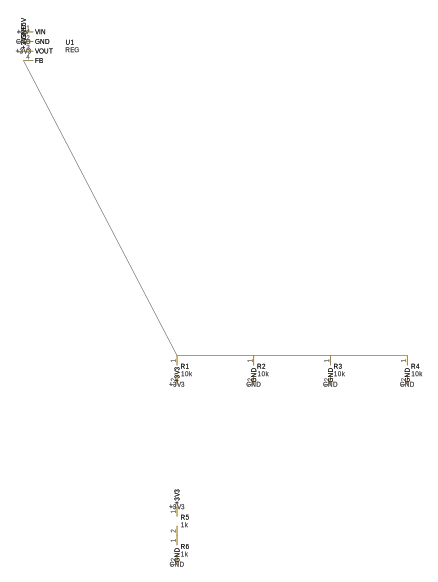
Example. The feedback node of a buck converter, Net-(U4-FB), after a part renumbering becomes Net-(R31-Pad1): the bring-up note "probe Net-(U4-FB)" points at nothing.
How to check. Nets with auto-name patterns per tool and more than N pins (a project setting, 4 is a good default), or pins on more than one sheet path.
Fix. Give the net a label with a name that says what it carries.
References. KiCad sections "Labels" and "Net name assignment rules".
Settings
Set them in the project file under [checks."WIRE-11"], or for one run with --set WIRE-11.NAME=VALUE.
| Setting | Default | Meaning |
|---|---|---|
WIRE-11.max_pins |
4 | the most pins an auto-named net may have |
Test schematics
Each schematic below is in test_schematics/sources. The block under it is what berc check --only WIRE-11 reports on it.
wire-11_unnamed_nets